

准备工作
准备游戏本体文件(本文不提供)
下载解包工具:
jyxjyx1234/YURIS_TOOLS: 新版YU-RIS引擎汉化工具包
morkt/GARbro: Visual Novels resource browser
下载封包工具:dreamsavior/ypf-repacker: Repacker tool for YPF (YU-RIS engine) archive
一个十六进制编辑器:可使用 VSCode 的 Hex Editor 插件
【可选】AI 翻译工具:GalTransl/GalTransl: 支持GPT-4/Claude/Deepseek/Sakura等大语言模型的Galgame自动化翻译解决方案
解包
获取 .ybn 文件
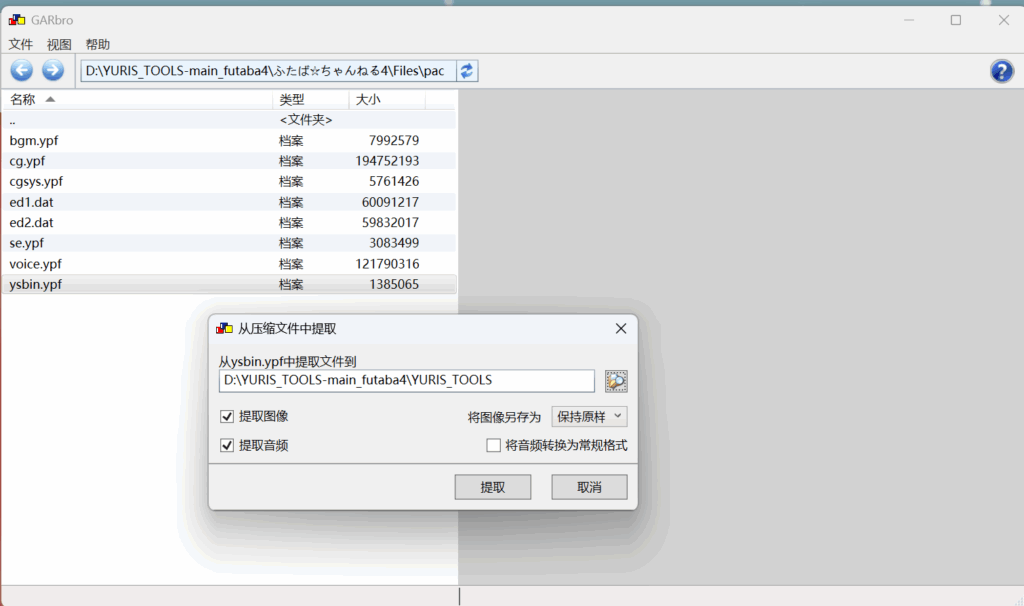
找到游戏的 ysbin.ypf 文件,并使用 GARbro 解压至 YURIS-TOOLS 文件夹中:
精简无关文件
进入 YURIS-TOOLS 文件夹:
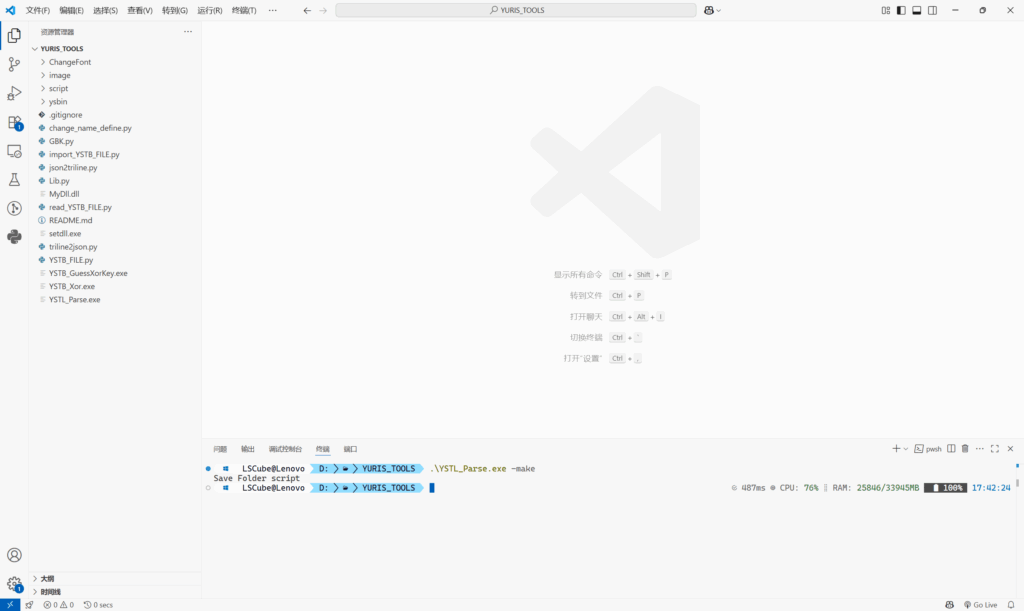
执行解包文件命令:
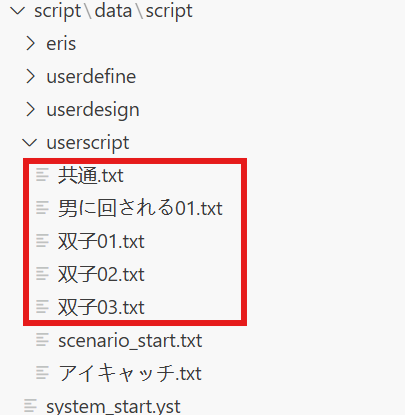
.\YSTL_Parse.exe -make得到了 script 文件夹,并删除无关文件,仅留下有关文件:
还原 ybn 文件,得到 ysbin_new:
.\YSTL_Parse.exe -back解包出具体文本
猜测 Xor 加密密钥(使用任意 ybn 文件):
.\YSTB_GuessXorKey.exe .\ysbin_new\yst00111.ybn现在密钥被已经存入Key.txt文件中了喵~
运行解包程序,转换为三行文件:
python .\read_YSTB_FILE.py【可选】转换为 AI 翻译所需的 Json 文件:
python .\triline2json.py翻译
如果需要手动翻译,则现在可以直接使用三行文件进行翻译,
使用 AI 翻译可以参考 Galtransl 相关教程喵~(操作较为简单,就不再多说了喵~
转换回三行文件
将翻译好的文件放入 json_trans 中:
先修改 json2triline.py 中错误的部分:
        name = tran_json[i]['name']
        trans = tran_json[i]['post_zh_preview']
更改为:
        name = tran_json[i].get('name', '')
trans = tran_json[i]['message']运行命令:
python .\json2triline.py封包
还原 .ybn 文件
删除 YSTB_FILE.py 的 Line 169:(并未看懂如何实现此部分)
trans = replace_halfwidth_with_fullwidth(trans)将 import_YSTB_FILE.py 的代码全部更改为如下部分:
from YSTB_FILE import *
import os

ori_path = "ysbin_new/"
trans_path = "triline_text_trans/"
out_path = "scr_trans/"
os.makedirs(out_path, exist_ok=True)
os.makedirs("Release", exist_ok=True)
os.makedirs("Release\\ysbin", exist_ok=True)

try:
    key = open("Key.txt", "r", encoding='utf8').readlines()
    decrypt_key = eval(key[0])
    print(f"Using decrypt key: {hex(decrypt_key)}")
except:
    decrypt_key = 0x00000000

output_encrypt = decrypt_key

filelist = os.listdir(trans_path)

for filename in filelist:
    print(f"Processing: {filename}")
    YSTB_f = YSTB_FILE(path=ori_path + filename.replace(".tra.txt", ""), encrypt=decrypt_key)

    try:
        with open(trans_path + filename, "r", encoding="utf8") as f:
            trans_lines = f.readlines()
    except Exception as e:
        print(f"Error reading {filename}: {e}")
        trans_lines = []

    isOpt = False
    command_offset = None
    translation_count = 0

    for line in trans_lines:
        line = line.strip()

        if len(line) > 0 and line[0] == "[":
            if "opt" not in line:
                try:
                    command_offset = int(line[1:-1])
                    isOpt = False
                except ValueError:
                    print(f"Invalid command offset: {line}")
                    continue
            else:
                try:
                    command_offset = int(line[1:-4])
                    isOpt = True
                except ValueError:
                    print(f"Invalid opt command offset: {line}")
                    continue

        elif line.startswith("TR2="):
            transtext = line[4:]

            if command_offset is not None and transtext:
                if not isOpt:
                    YSTB_f.append_trans(command_offset, transtext)
                    translation_count += 1
                    print(f"Added translation at {command_offset}: {transtext[:50]}...")
                else:
                    YSTB_f.append_opt(command_offset, transtext)
                    translation_count += 1
                    print(f"Added opt at {command_offset}: {transtext[:50]}...")

    print(f"Total translations added: {translation_count}")

    output_file = out_path + filename.replace(".tra.txt", "")
    YSTB_f.save_file(output_file, encrypt=output_encrypt)
    print(f"Saved: {output_file}")

os.system("copy scr_trans\\* Release\\ysbin\\")
运行程序,转换为ybn文件:
python .\import_YSTB_FILE.py修改程序标题
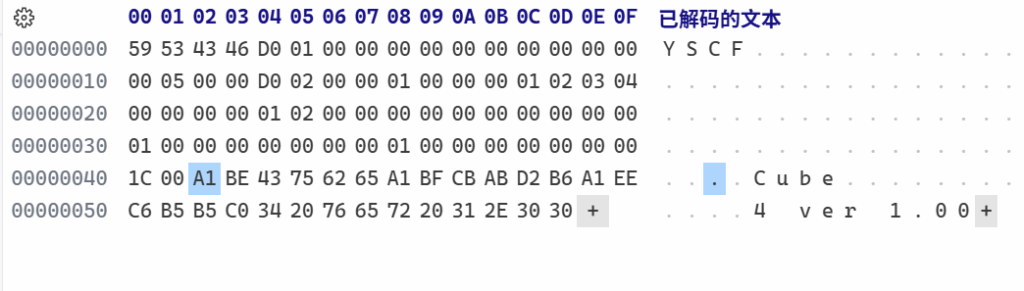
使用 VSCode 的 Hex Editor 或其他十六进制编辑器打开 ysbin/yscfg.ybn 文件:
从 0x00000042 及以后全部是游戏的标题,删除原始的标题,并修改为自己汉化后的标题:(使用 GBK 编码)
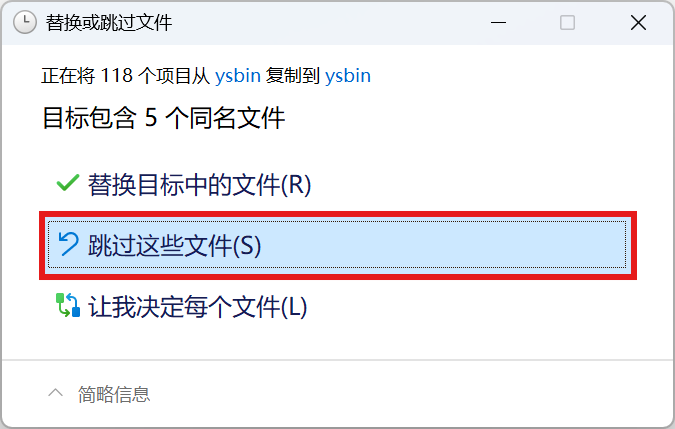
保存后将 ysbin 文件夹中所有文件复制到 Release/ysbin 中,并跳过同名文件:
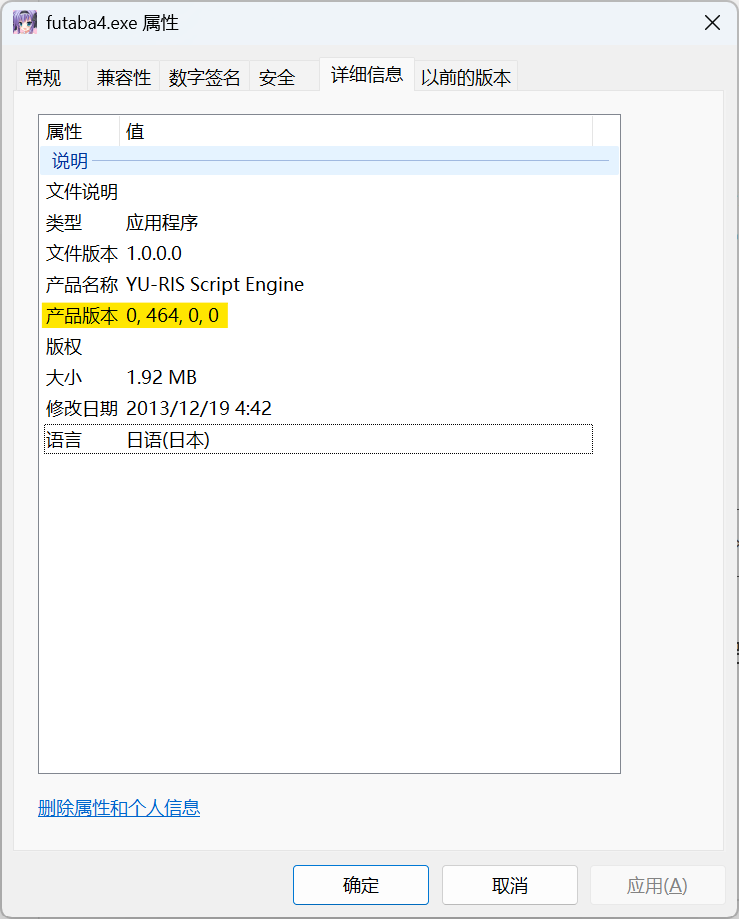
找到游戏启动的 .exe 文件并查看属性中的产品版本,确认 YU-RIS 引擎版本号:
使用 ypf-repacker.exe 执行命令,得到 Release.ypf 文件,并将其重命名为 ysbin.ypf,替换游戏目录的 ysbin.ypf 文件:
.\ypf-repacker.exe -c -v <引擎版本号> 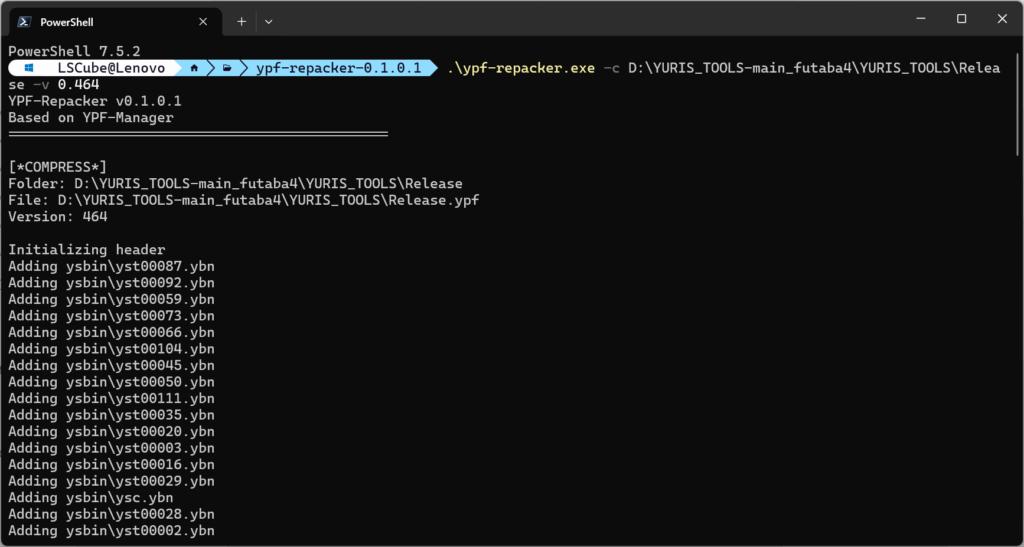
增加程序 GBK 支持
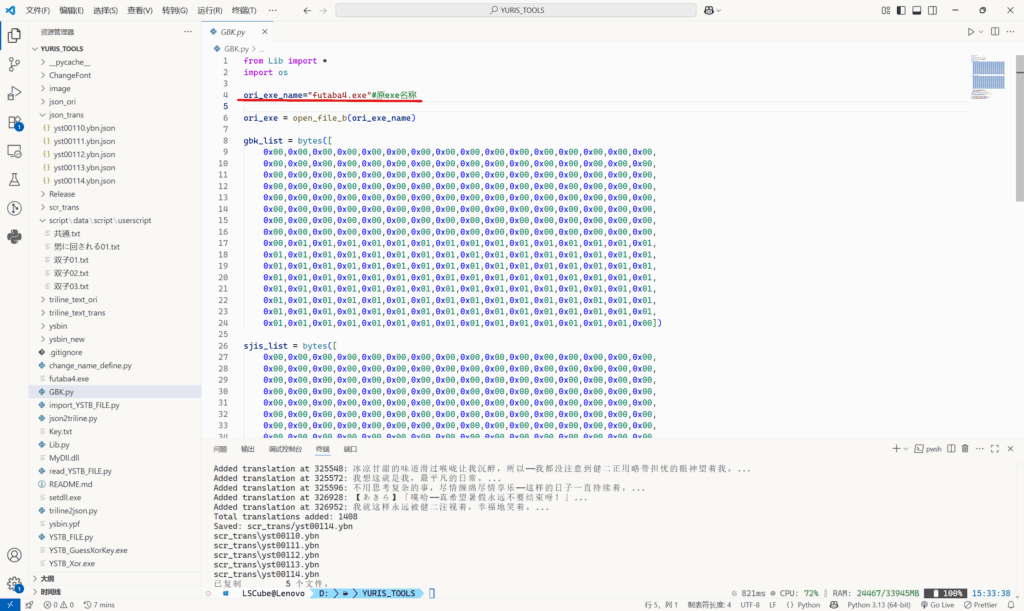
将游戏 .exe 文件复制到 YURIS-TOOLS 目录下,编辑 GBK.py 文件中的 Line 4,将其更改为 .exe 名称:
执行 GBK.py 程序:
python .\GBK.py将 Release 文件夹中得到的 <exe名称>_chs.exe 与 MyDll.dll 一起复制回游戏目录。
运行 <exe名称>_chs.exe 文件,就大功告成了!
后续流程
如果想要汉化 UI 等,直接使用 GARbro 解包找到对应文件修改后使用 ypf-repacker 重新封包即可。
Comments 2 条评论
我在按照教程给游戏“エルフ姫回顧録~娼婦姫と亡国の夢~”尝试汉化的最后,在运行“ <exe名称>_chs.exe”时出现“パックファイル内のファイル[ysbin\yst00034.ybn]が重複しています。”的报错,是怎么回事呢?

@2311060571 出现重复文件了,你找下是不是源文件没删或者封了重复的文件进去